The missing system between spreadsheets and ERP.
For manufacturers that have outgrown spreadsheets but do not want ERP complexity.
Coordinate maintenance, inventory, purchasing, and receiving from a single operational workflow.
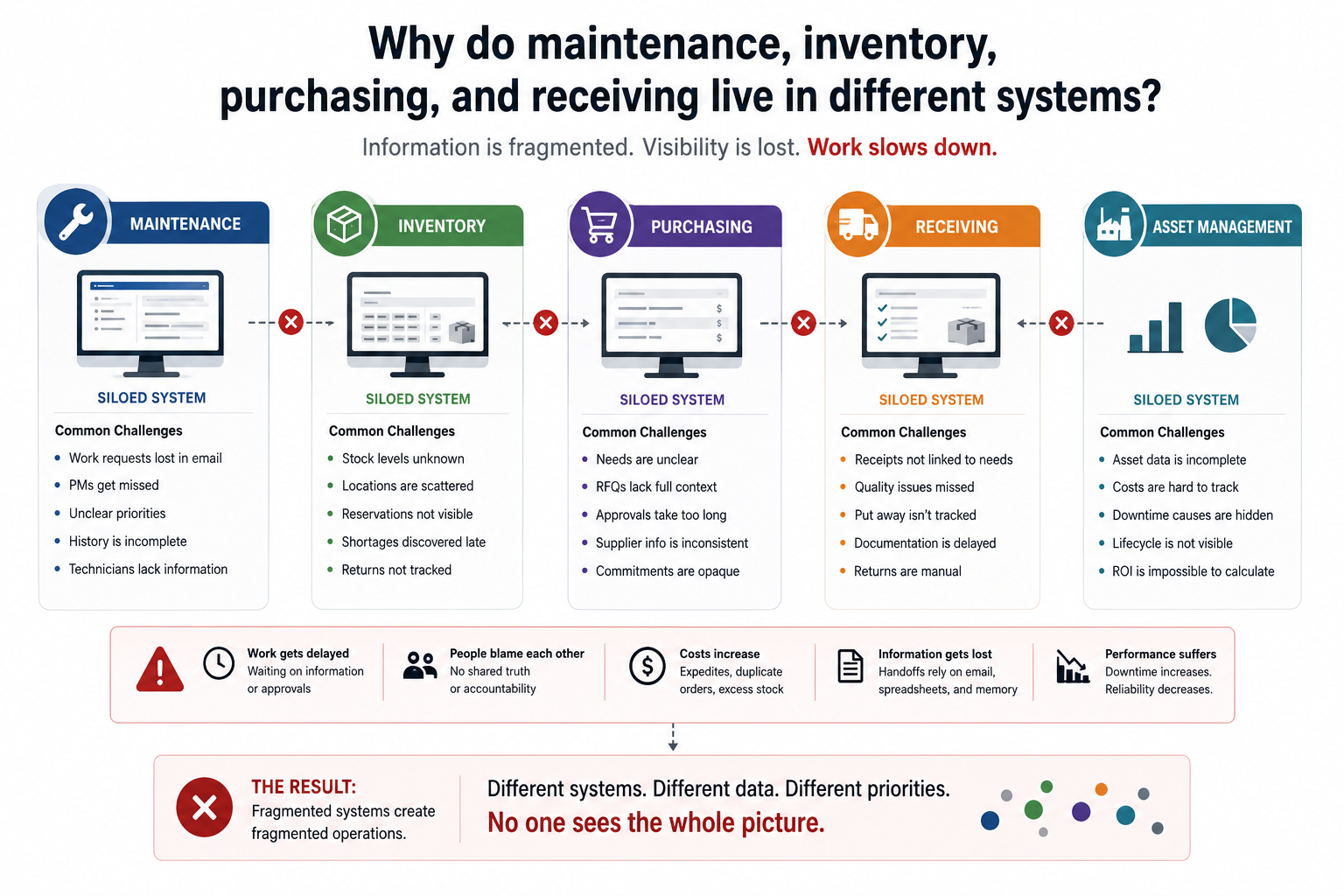
Why do maintenance, inventory, purchasing, and receiving live in different systems?
Information is fragmented. Visibility is lost. Work slows down.
Different systems create different data, different priorities, and unclear accountability.
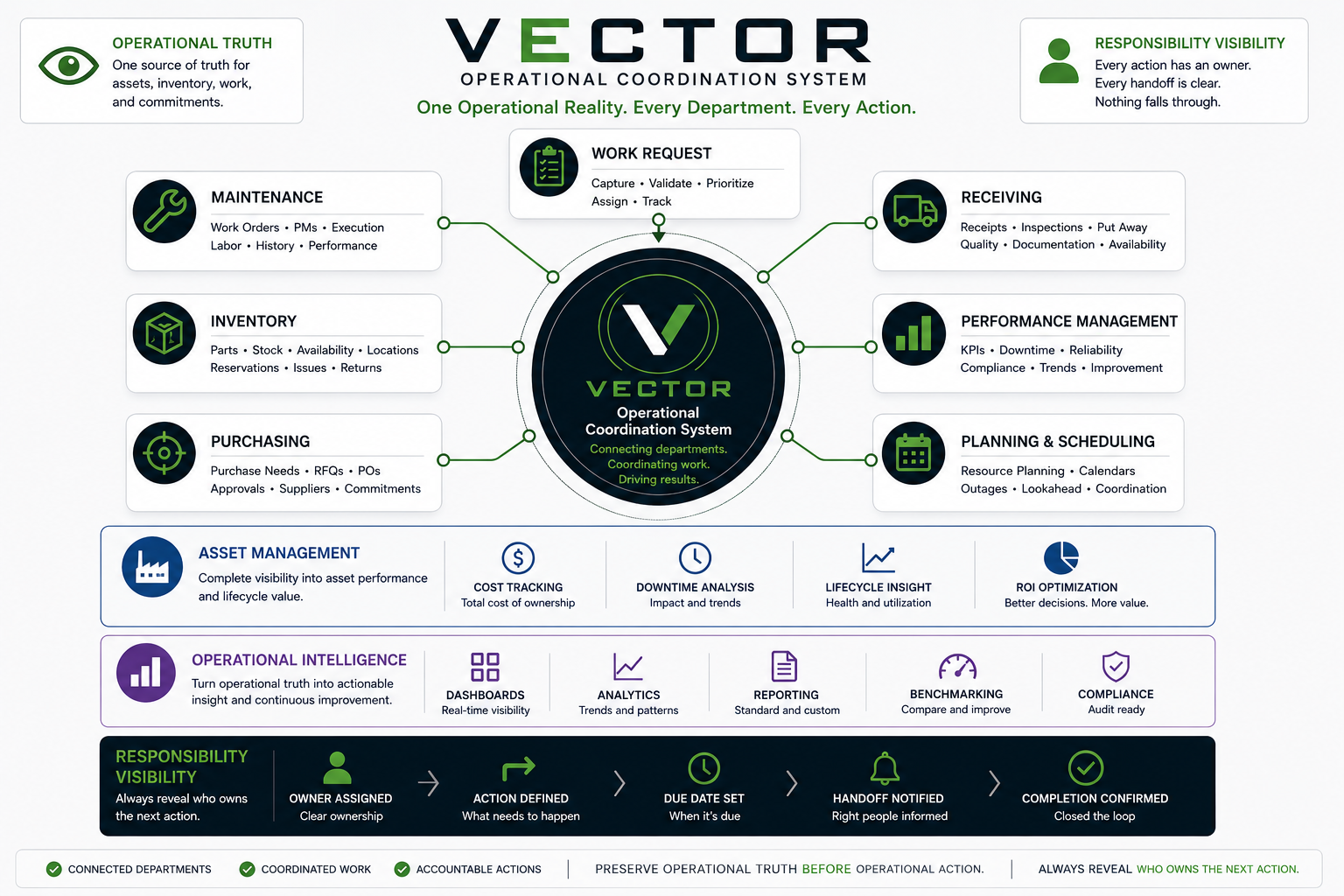
One operational reality. Every department. Every action.
VECTOR coordinates maintenance, inventory, purchasing, receiving, assets, and operational intelligence around shared truth and visible responsibility.
Every action has an owner.
VECTOR is built around the principle that the system should always reveal who owns the next action.
Clear responsibility before action.
The next step is visible.
Time expectations are explicit.
The loop closes with evidence.
From demand to completion.
VECTOR coordinates operational work from request, validation, and work order creation through material requirements, sourcing, receiving, execution, closure, and improvement.
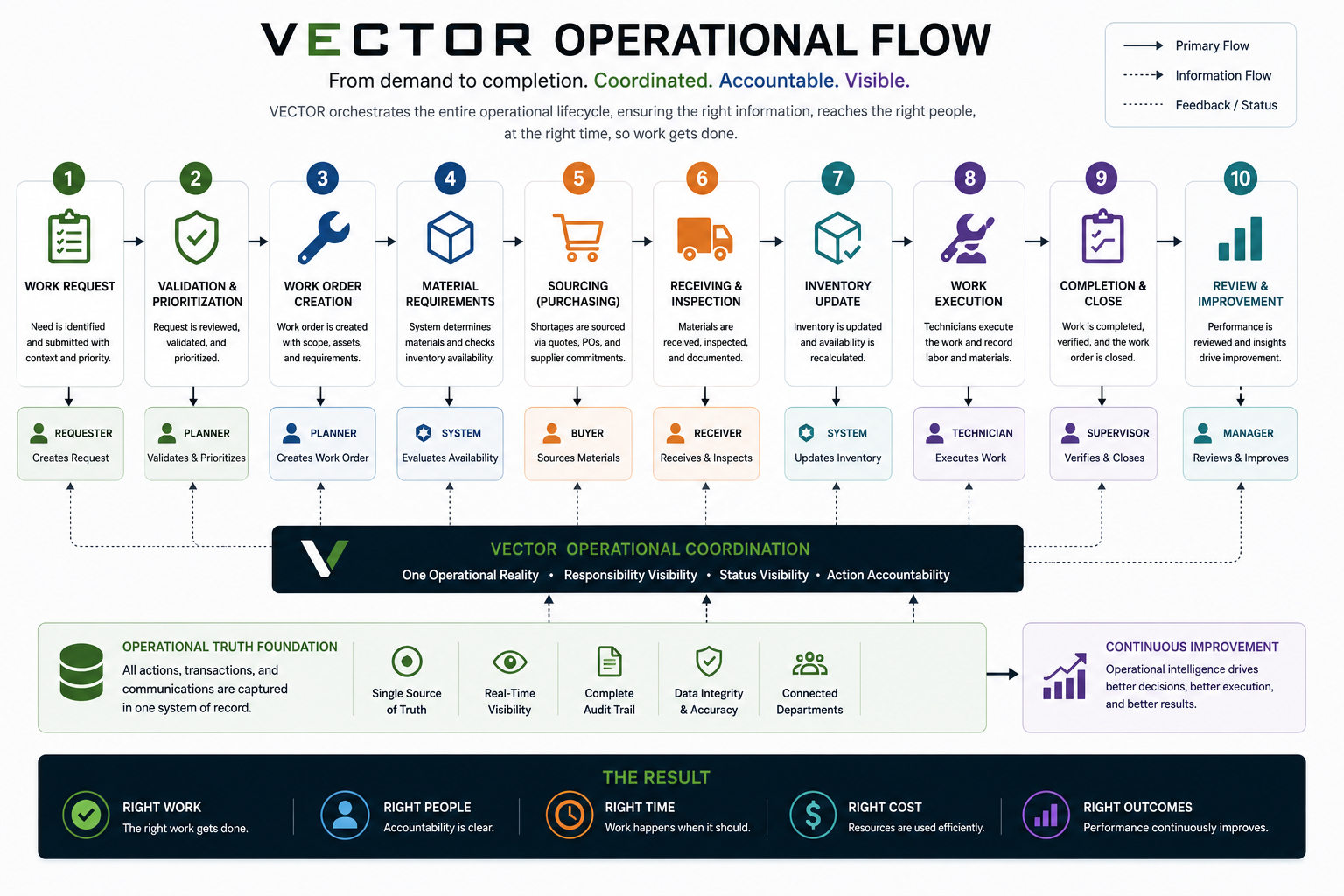
Maintenance-Focused Operational Coordination System
VECTOR is currently in pre-release development.
Join the Founding Members program and help shape the future of Operational Coordination Systems.
Preserve operational truth before operational action. Always reveal who owns the next action.